Image to Video AI
Turn a photo into a video with image to video AI: upload one picture, say how it should move, and get a 6 or 10 second 720p clip that starts from your photo. It costs 10 credits for 6 seconds or 15 for 10, and a finished clip can be extended by 6 seconds or upscaled to 1080p.
- 1 photo, any subject
- Natural or Playful
- 6 or 10 s, 720p
Your photo
Generation opens shortly. Press the button to get notified.
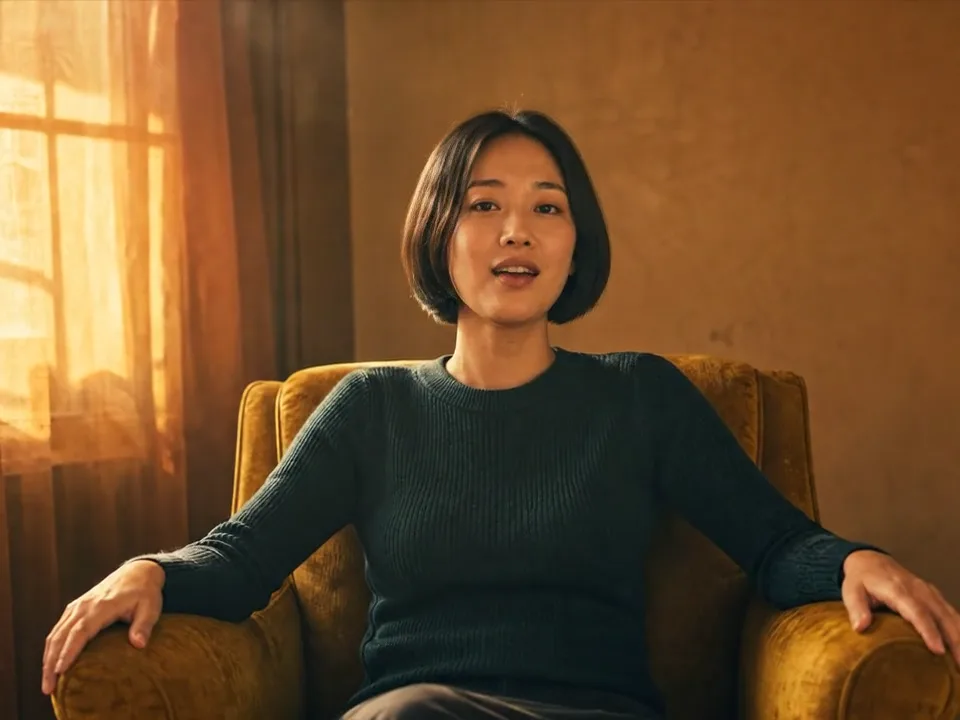
Our template The Orange Room started as one still image that our video engine animated. The person is AI-generated.
Updated
How it works
How to turn a photo into a video with AI
- Step 1
Upload one photo
A portrait, a couple, a pet or a place. The photo is not cropped: it becomes the first frame of the video exactly as it is.
- Step 2
Say how it should move
Optional. Describe the motion in a sentence, such as a smile and a turn of the head, or tap a ready-made idea. Leave it empty for gentle, natural motion.
- Step 3
Pick style and length
Natural keeps the motion calm and close to the photo; Playful takes more creative liberties. Choose 6 or 10 seconds.
- Step 4
Generate, then extend or upscale
Download the 720p MP4, add 6 more seconds, or upscale it to 1080p for a sharper post.
Motion ideas
Prompts that make a photo move well
Copy one, change the details to match your photo, and paste it into the box above. Short, concrete motion works better than long stories.
The person smiles softly, turns their head toward the camera and blinks, hair moving slightly in a light breeze. Slow push-in, steady camera.
Warm light rain starts to fall; the person looks up at the sky and smiles as drops land on their face and shoulders. Slow handheld camera.
The person sways and slow-dances on the spot, arms loose, eyes half closed, warm golden light. Camera slowly circles them at chest height.
The person sings a slow line straight to the camera, small head sway, relaxed shoulders. Very slow push-in at eye level.
Wind moves the hair and clothes, waves roll in behind, the light shifts as clouds pass. The camera slowly pulls back.
The pet tilts its head, blinks and wags its tail, then looks straight at the camera. Steady camera, natural motion.
What image to video AI is good at
Image to video AI works best when the photo already looks right and you want it to come alive: a portrait that smiles and turns to the camera, a couple that leans in, a dog that tilts its head, waves rolling in behind someone on a pier. Because your photo is the first frame, faces, clothes and the place stay as they are at the start, and the model adds the motion.
- Portraits and selfies: small gestures, a smile, hair in the wind, singing a line.
- Couples and friends: a slow dance, a laugh, a look between two people.
- Pets: a head tilt, a blink, a wagging tail.
- Places: moving water, clouds, rain, city lights.
Prices in credits
| What you make | Credits |
|---|---|
| 6 second video, 720p | 10 |
| 10 second video, 720p | 15 |
| Extend a video by 6 seconds | 10 |
| Upscale a video to 1080p | 8 |
The same credits work for the AI video generator and the Raindance templates. Your first pack is half price; see pricing.
Photo to video AI tips
- Describe one motion, not a story: “she turns and smiles” works better than three actions in a row.
- Say what the camera does: “slow push-in” or “steady camera”.
- Pick 10 seconds for slow, calm motion and 6 seconds for a single gesture.
- Extend a good clip instead of starting over: the next 6 seconds continue from the last frame.
What you can’t make
Only animate photos you have the right to use, of people who agreed. Photos of celebrities, public figures and anyone under 18, and sexual or violent content, are not allowed. If the video engine refuses a photo or a prompt, your credits come back automatically. The full rules are in our terms.
FAQ
Image to video questions
What is image to video AI?
It is a video model that takes a still photo as the first frame and generates the frames that follow, so the people, animals or scenery in the photo start to move. You choose how they move with a short text prompt.
How much does it cost?
There is no free generation. A 6 second clip costs 10 credits and a 10 second clip 15. Extending a clip by 6 seconds costs 10 credits and upscaling to 1080p costs 8. Your first credit pack is half price ($4.95 for 100 credits).
Which photos work best?
Sharp photos with good light and a clear subject. For people, a photo where the face is visible and not too small works best. Busy group shots and very dark photos give weaker motion.
What is the difference between Natural and Playful?
Natural keeps the motion realistic and close to your photo: small gestures, breathing, hair and clothes moving. Playful allows bigger, more expressive motion and more creative changes to the scene.
Can I make the video longer?
Yes. When a clip is ready, press Extend to add 6 seconds that continue from where it ends, for 10 credits.
What resolution are the videos?
Clips come out at 720p. Press Upscale to get a 1080p version of a finished clip for 8 credits.
Can I animate a photo of someone else?
Only if they agreed. Photos of celebrities, public figures and anyone under 18 are not allowed, and neither is sexual or violent content. Refused or failed videos are refunded automatically.
How is this different from the AI Video Generator?
Here your photo is the first frame, so the video starts exactly from your picture. The AI Video Generator writes a new scene from a prompt and uses photos only as a reference for faces. For the Raindance music video look, the Raindance templates swap you into a finished clip.